Important Tips in Paid to Click

Follow this tips and you will have ease in signing in and clicking ads.
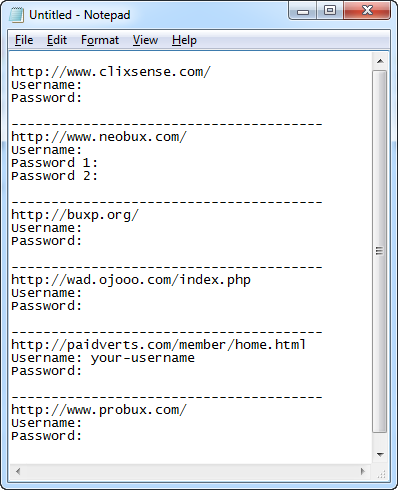
1. Make a NOTEPAD that enlisted all your Paid to Click sites you have joined, and save it in a safe location in your PC or Flash drive for back-up.
Why? Because many of you are so busy doing other things and you might forget the websites that you have signed up.
You can also use Excel, or Google Drive.
1. Make a NOTEPAD that enlisted all your Paid to Click sites you have joined, and save it in a safe location in your PC or Flash drive for back-up.
Why? Because many of you are so busy doing other things and you might forget the websites that you have signed up.
You can also use Excel, or Google Drive.
2. Use the lastest version of Mozilla Firefox.
Why? It is a more sophisticated browser that can open Bookmarked sites using "Open All in Tabs".
Why? It is a more sophisticated browser that can open Bookmarked sites using "Open All in Tabs".

3. Using Firefox, bookmark all your PTC sites' login URL or View Ads URLs (example: ) and place in one folder named "PTC".
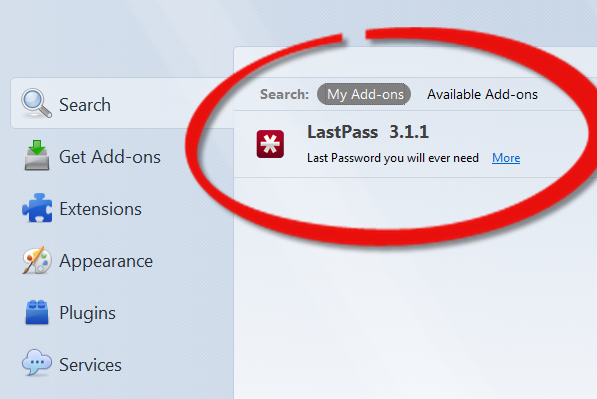
4. Sign-up and install "Lastpass add-on" into your browser. https://lastpass.com/
Why? Because it can help you login your accounts very quickly. It can auto-fill all your login credentials like username and password.
It can also auto-login your accounts, depending on how you configure your site information with LastPass.
Why? Because it can help you login your accounts very quickly. It can auto-fill all your login credentials like username and password.
It can also auto-login your accounts, depending on how you configure your site information with LastPass.
5. To
get realtime notifications of available ads to be viewed or to be
clicked, you install the PTC sites' toolbars. I recommend toolbars from
Neobux, Clixsense, Buxp.

6.
And lastly, use your free time for viewing ads, like while surfing the
net, opening gmail or yahoomail inbox, updating facebook, etc..

No comments:
Post a Comment